Linked Camera.py
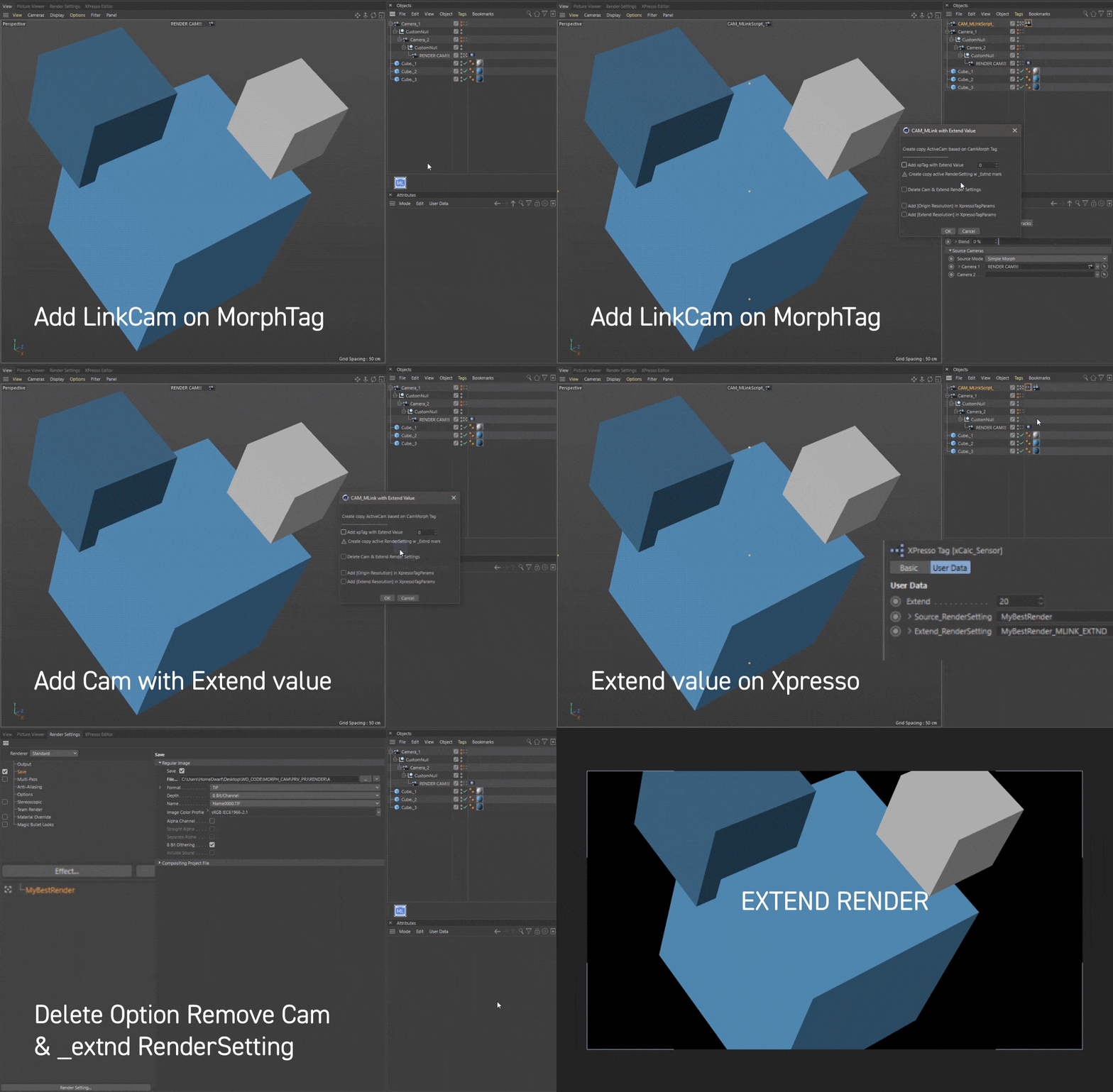

- Perfect for working with nested or heavy rigs — especially useful for baking or using scripts that require a standalone camera
- Automatically creates an extended render setting with sensor-based scaling, allowing for a wider frame — ideal for post-production workflows (e.g., After Effects)
- 🗑 One-click remove the generated camera, Xpresso tag, and render settings
Additional note: by creating your own alpha-channel mask you can effectively “patch” the render in post. With the standard renderer, you achieve this by projecting a material that carries an alpha channel from the camera onto your scene. It’s a clever workaround—though I’m really hoping the Maxon team will one day build in a true “Negative Render Region” feature! :)
tags…
cinema-4d c4d cinema-4d-script xpresso python ai-assisted
one-click-tools cg-tools expand-render-area negative-render-region
Assembled by AleksandrovskyV, with assistance from ChatGPT